The "crop" tool works the wrong way
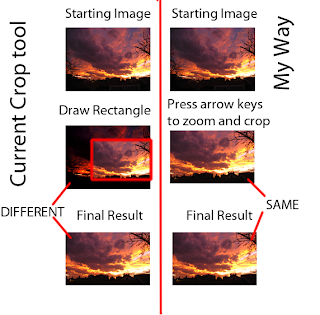
The way cropping is universally (as far as I know) implemented in photo editing software is by allowing the user to draw a rectangle on the part of image you want to save. Most programs dim the part you'll be throwing away, which helps you a bit in seeing your final composition, but the image itself doesn't zoom in or out, which is what actually happens when you crop, assuming you keep the paper or display area the same size. The way it SHOULD be done is how it happens in the blackroom. For those of you who have never developed their own B&W, you use a projector to paint the image from the negative unto the paper, and cropping is accomplished by moving the projector further or closer to the paper, which makes the image larger or smaller by "zooming" it. Of course its also a minor annoyance because the image gets dimmer and you have to refocus, but that doesn't need to carry on to digital. So the correct way of implementing the crop tool is by displaying the im...